Administration Module
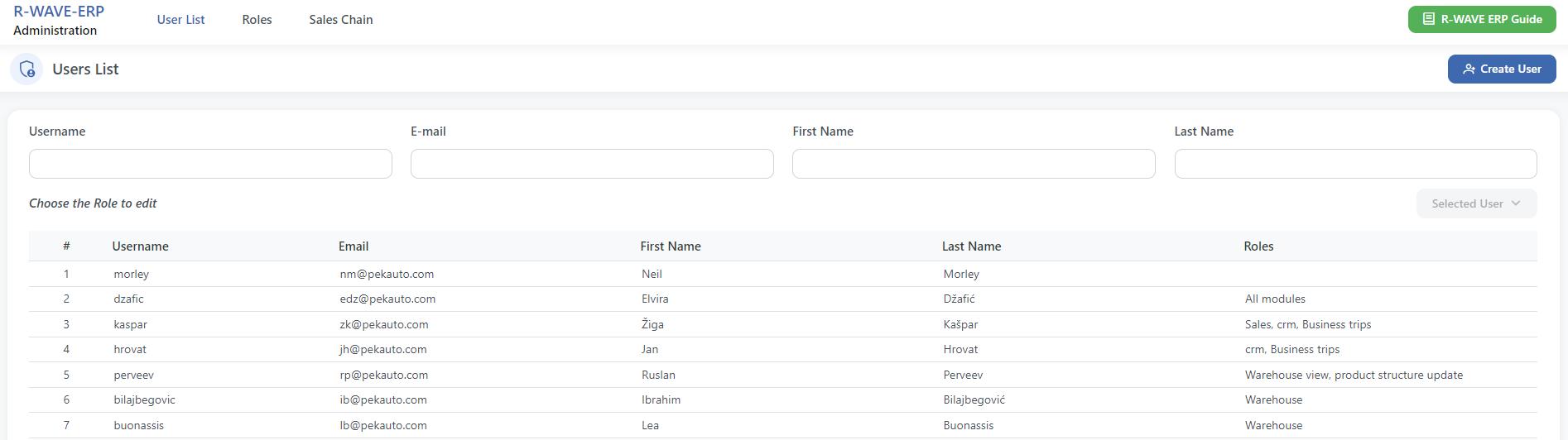
In this module you can create and manage system users, their roles and permissions.
User List
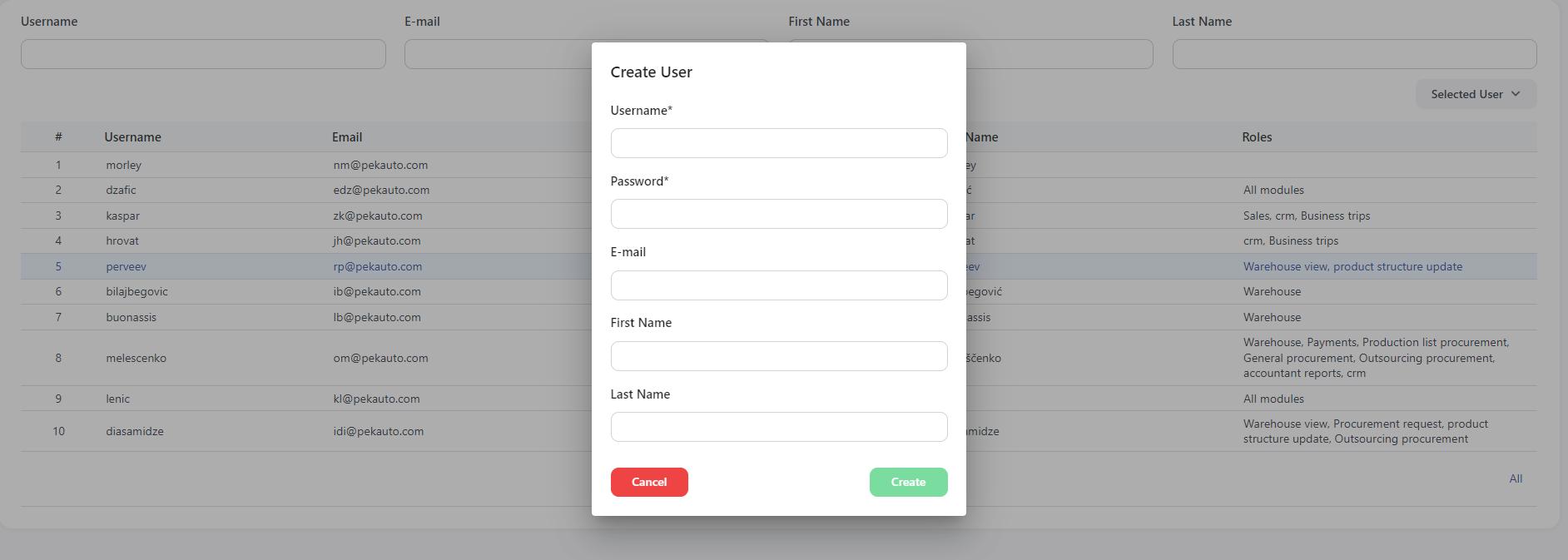
In the first menu you can see the information list of all the employees that are using the system. Here you can edit existing users information or their permissions and also create new users. After creating a new user you need to click on it in order to edit their permissions for the system usage.
Roles
In this menu you can see the list of all the roles that are added in the system. Here you can edit the existing roles or their permissions and also create new roles. After creating a new role you need to click on it in order to edit their permissions for the system usage.

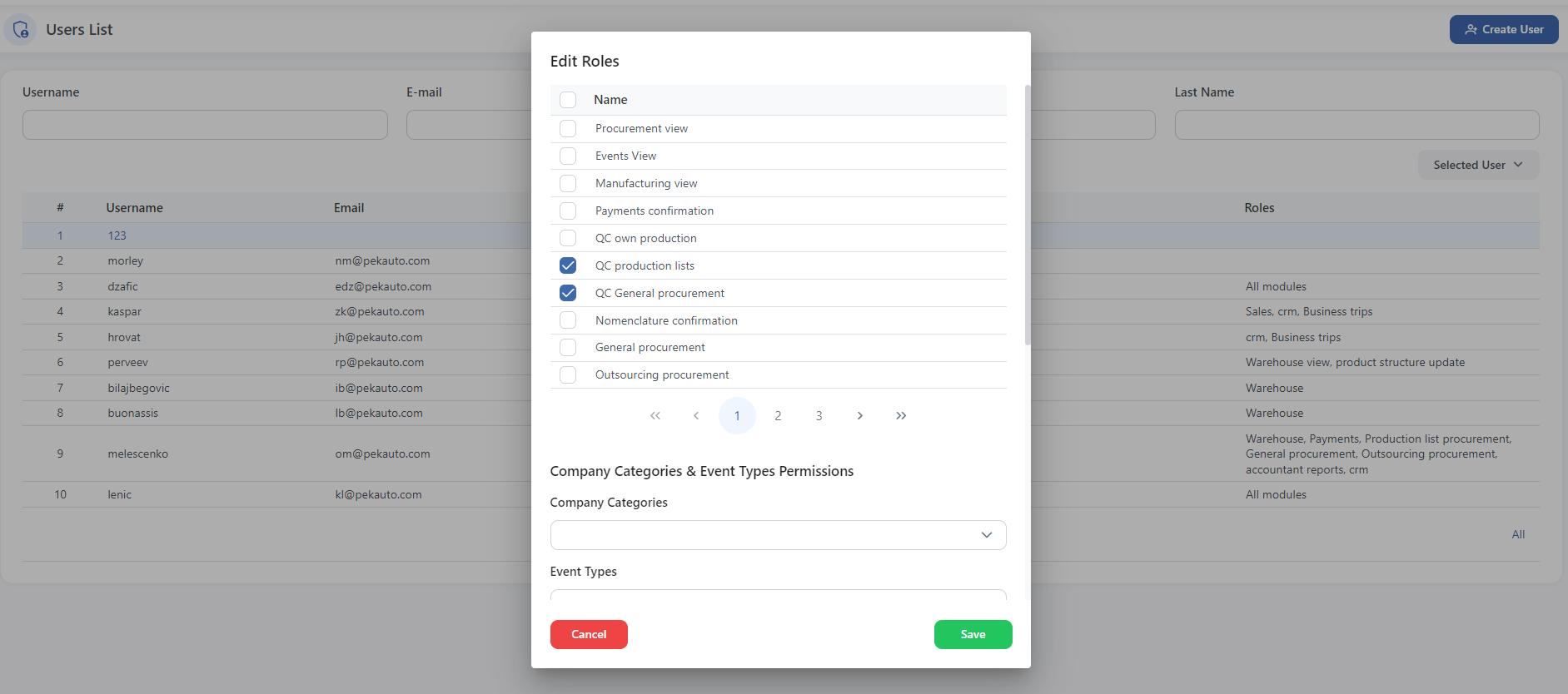
When editing the permissions, the new window will open where you can select from the list the modules that can be accessed with this role.
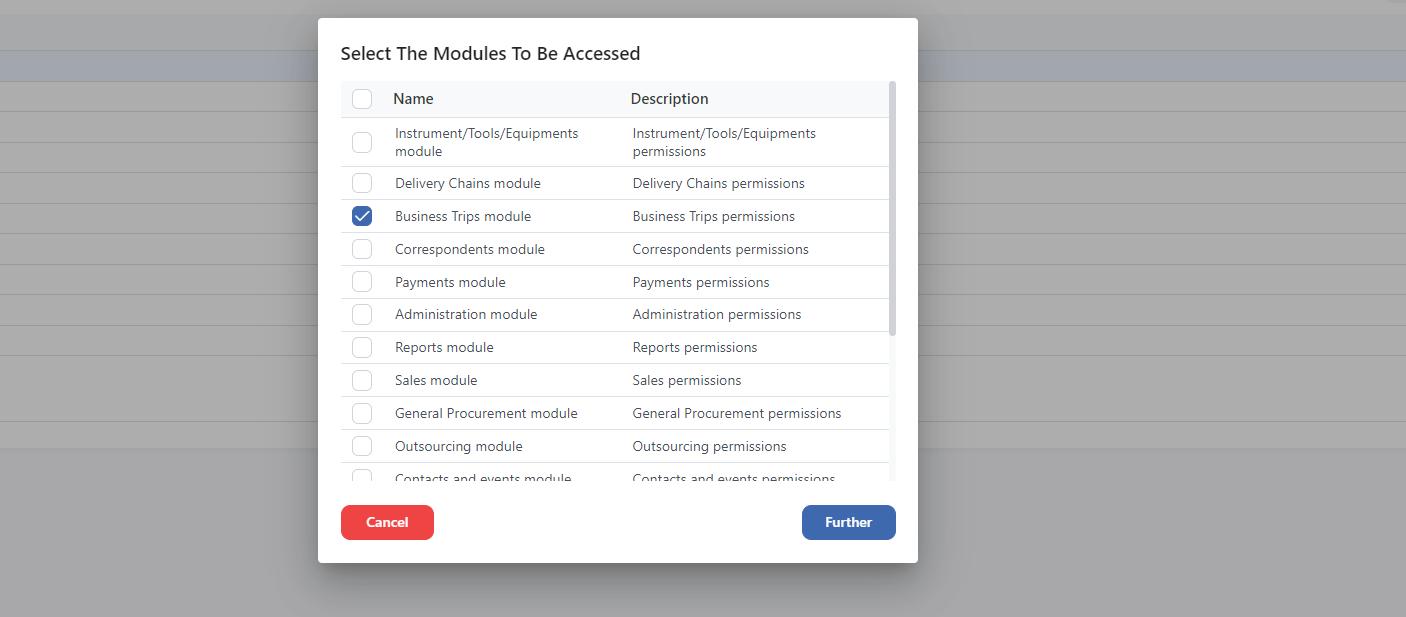
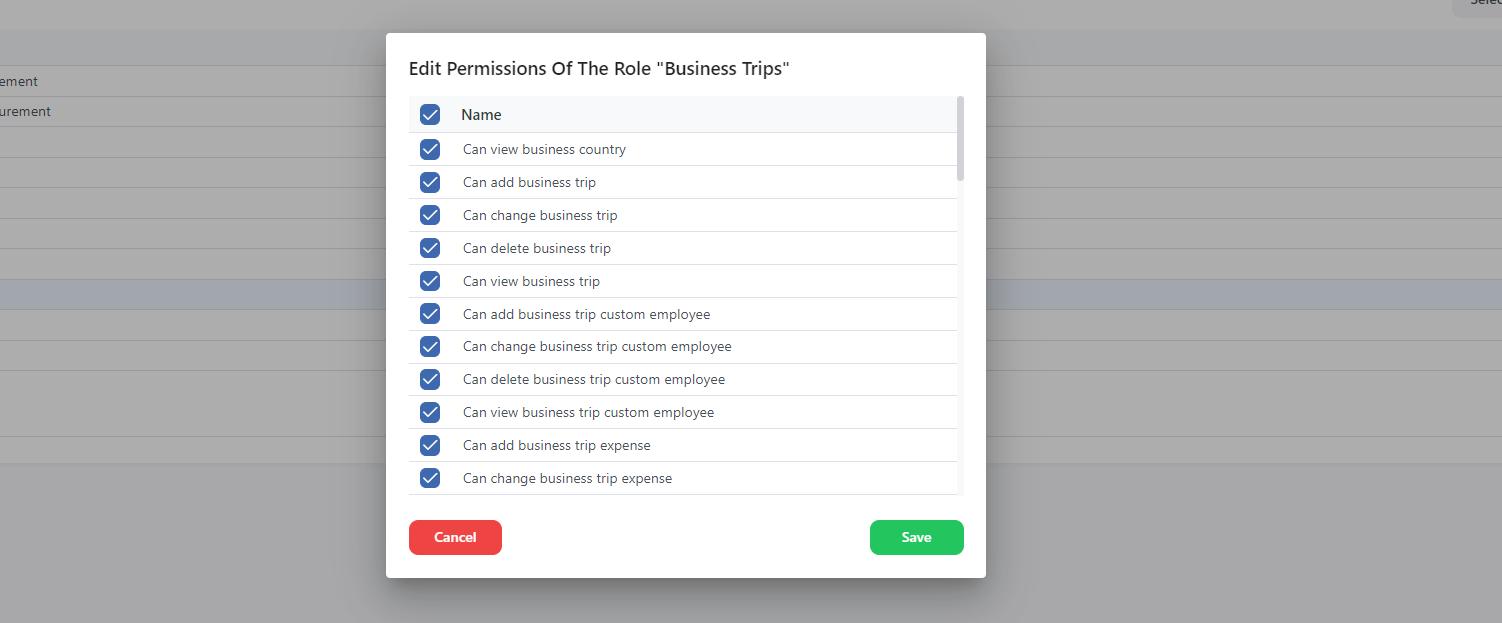
By clicking further you can then also by checking the tick boxes edit the permissions of the selected role. This roles that are created, will be shown also on the Users List when you will start assign the permissions to the employees.
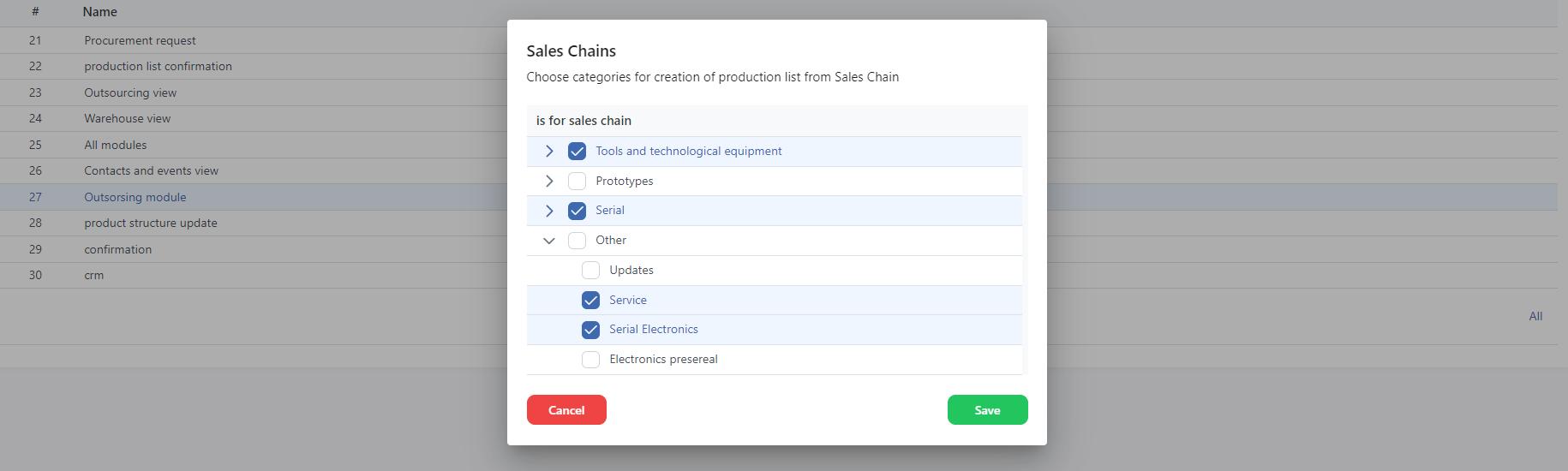
Sales Chain
In this menu you can choose which categories and products from production list will be shown for selling to the costumers in the menu Sales Chain – Products.